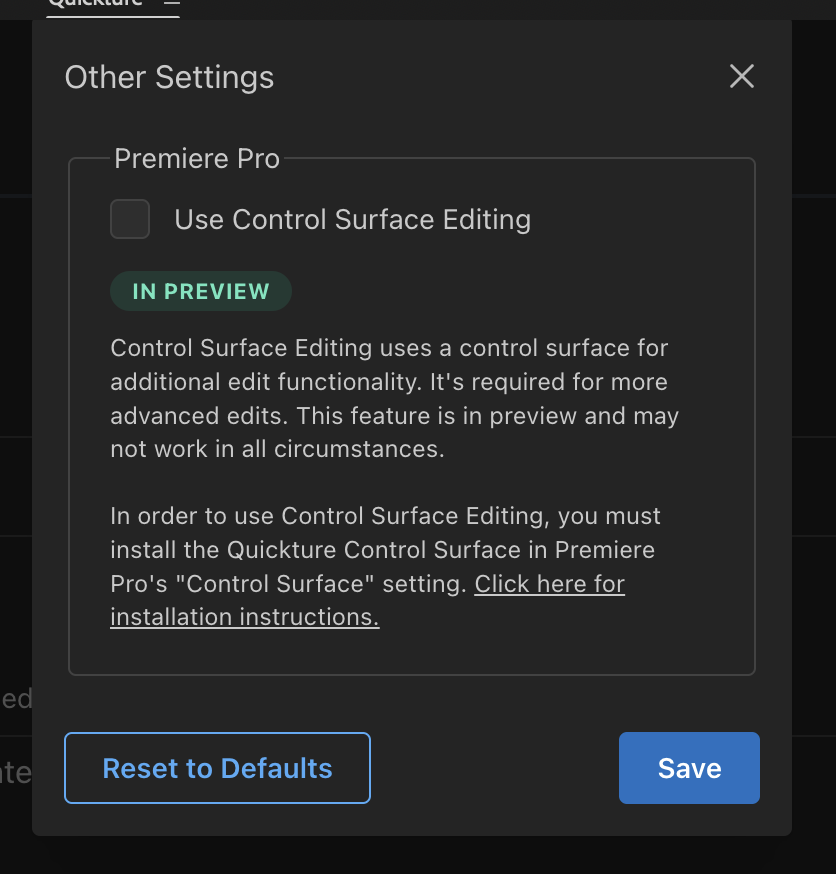
To use our latest cutting mode for Premiere Pro, you’ll need to install the Quickture Control Surface.
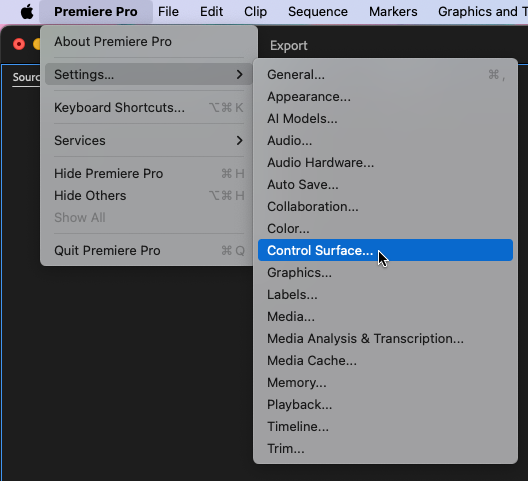
On Mac, under the Premiere Pro menu select Settings > Control Surface...
Click “Add” and select “Quickture Control Surface”.
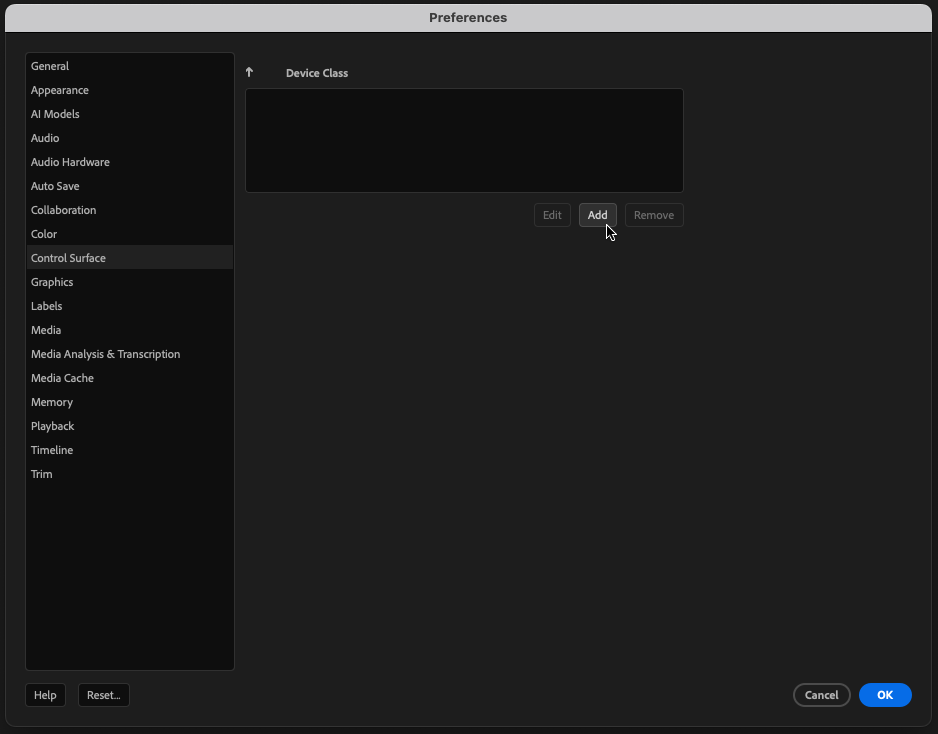
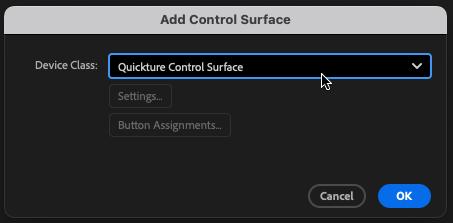
Click “OK” and you should now see the Quickture Control Surface in the list of devices.
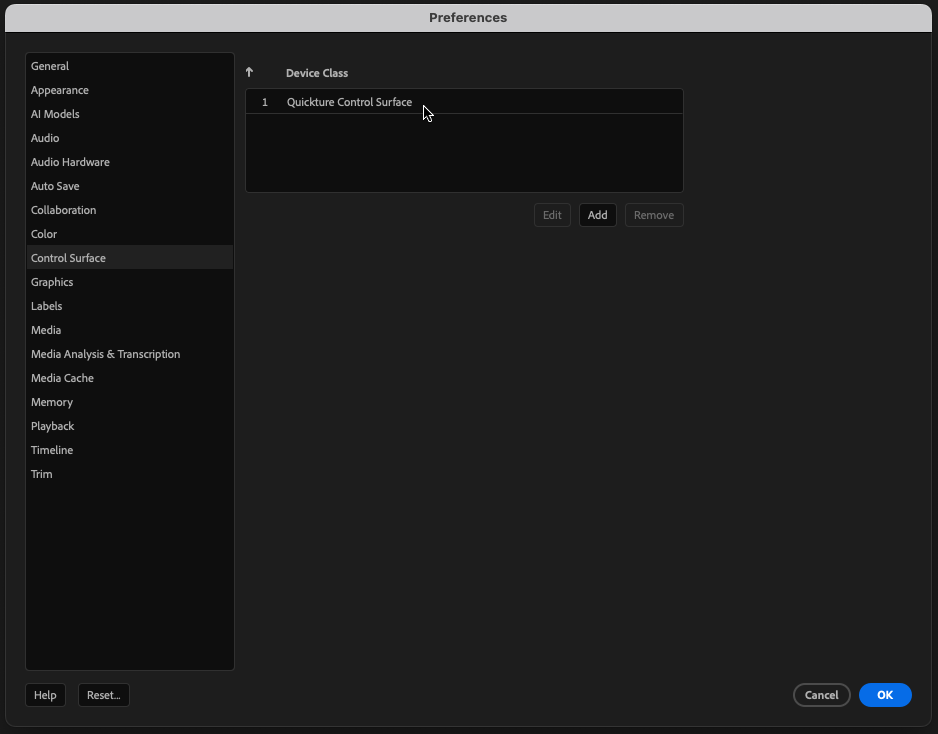
Click “OK” again, and you’re all set.
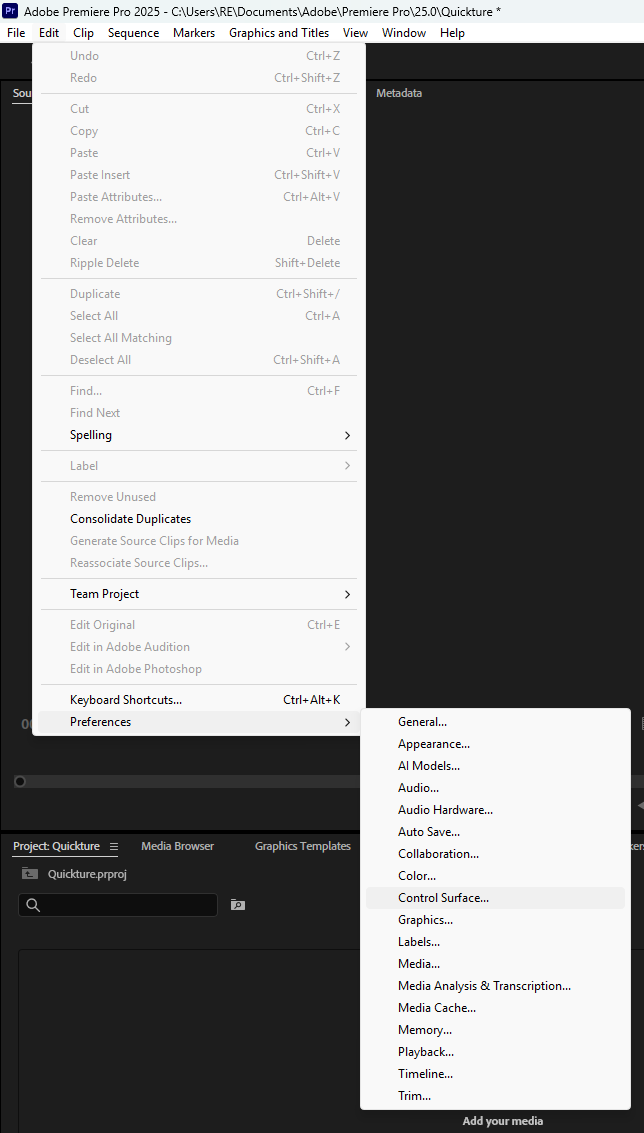
On Windows, under the Edit menu select Preferences > Control Surface...
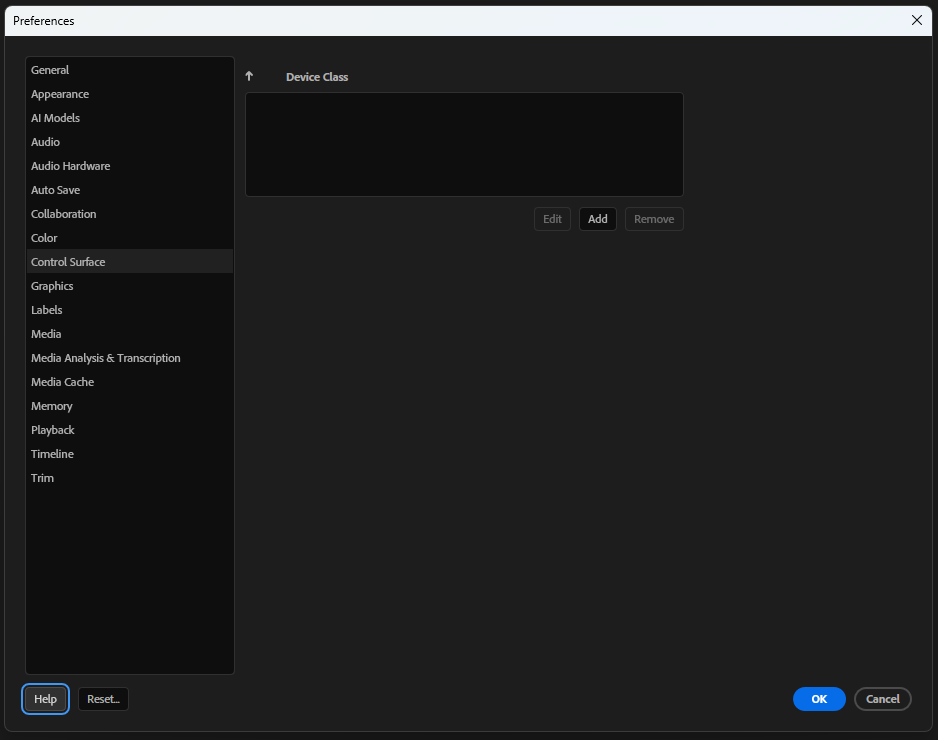
Click “Add” and select “Quickture Control Surface”.
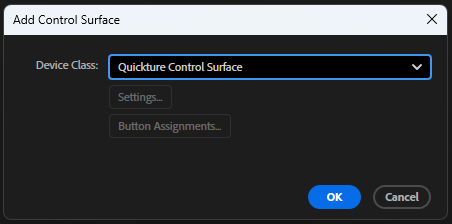
Click “OK” and you should now see the Quickture Control Surface in the list of devices.
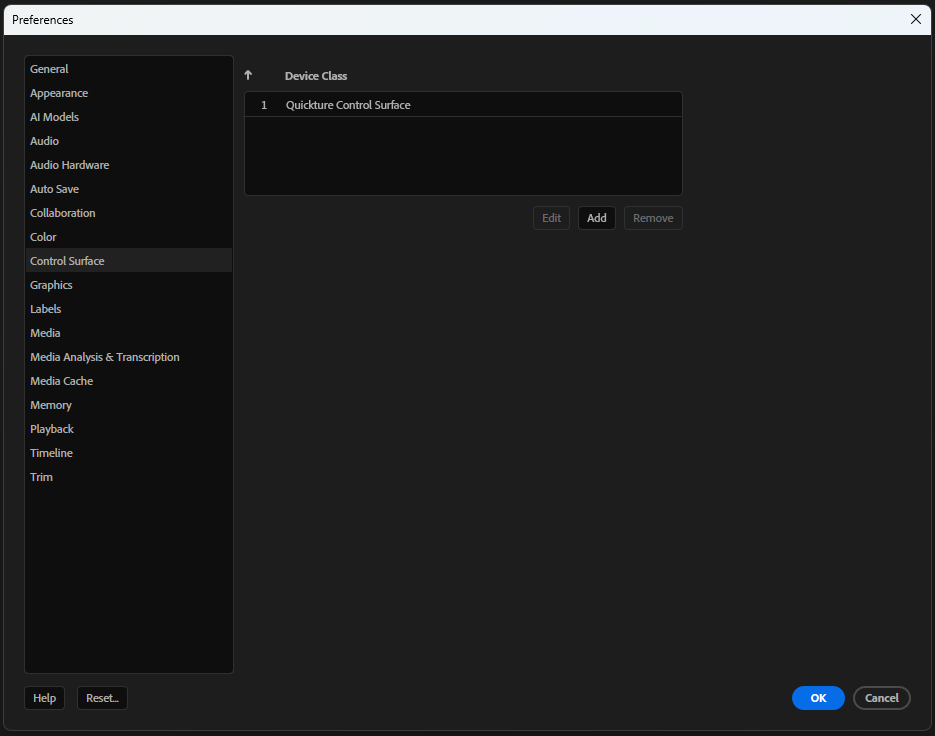
Click “OK” again, and you’re all set.
You can now go into your hamburger settings menu at the top right and into “other settings”
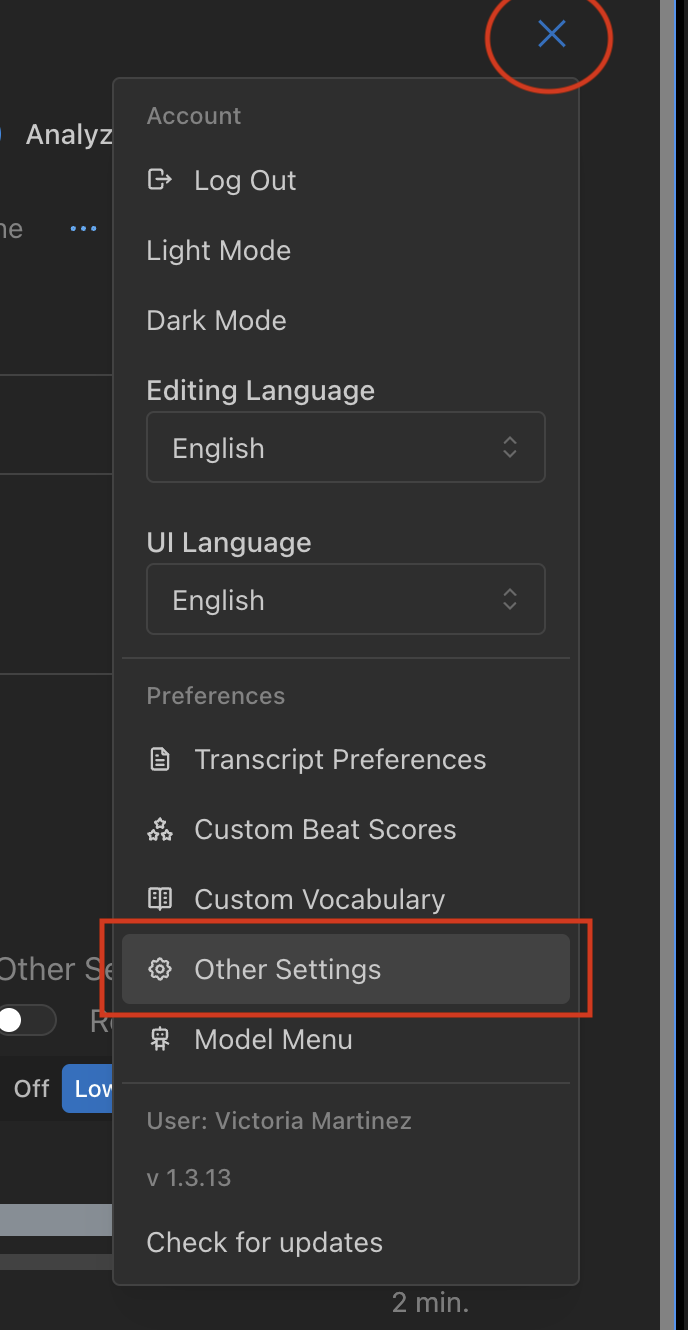
Here you can enable control surface editing: