If you are experience issues with your Avid Quickture panel, and none of the other troubleshooting steps are working, you can easily reset the panel using Avid’s Console window. It’s safe to do so it’s worth a try if things aren’t working!
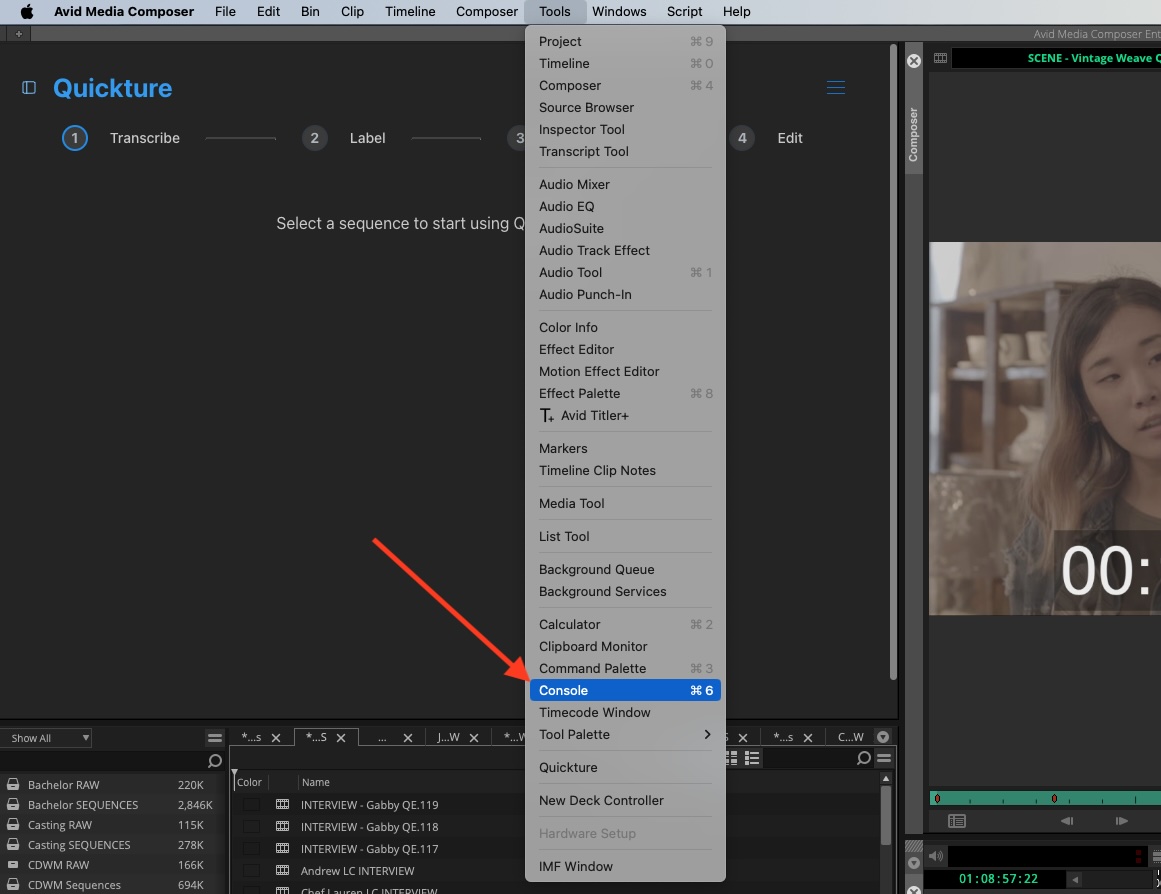
Go to Menu > Tools > Console to open the console window.
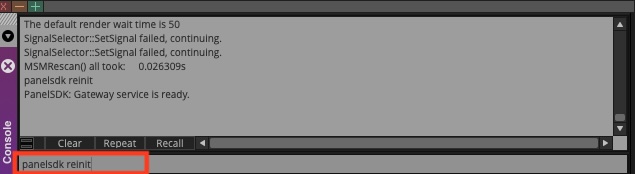
In the black text entry field at the bottom of the Console window, type “panelsdk reinit” and hit enter. The Quickture panel will disappear! But don’t worry, it’s not gone forever.
Go back to Menu > Tools > Quickture to reopen the Quickture panel. Hopefully this fixed the problem! If not, please reach out to us!
